praktio design system
Praktio is a SaaS platform that provides e-learning courses for clients, primarily for law firms that want new hire lawyers to brush up on specific legal practices. Praktio’s initial design system lived in Adobe XD and, while functional, had several issues that ultimately led to a full overhaul of the system and migration to Figma.
client:
Praktio
project type:
User Research, User Experience Design, User Interface Design, & Design System
project tools:
Figma & Adobe XD
project team & roles:
2 UX/UI Designers

the problem
An audit of the existing design system, built in Adobe XD, revealed several limitations affecting both design and development workflows. Platform constraints prevented multiple designers from working in the file simultaneously, components lacked consistent styling and interaction states, and the development team faced challenges converting typography from PX to REM.
findings & solutions
my contributions
Working in partnership with Praktio’s Lead UI/UX Designer, I conducted user interviews on the existing Adobe XD system to identify key pain points. These findings informed the rebuild of the design system, where I redesigned page layouts and helped migrate the system from Adobe XD to Figma to enable better collaboration. I also contributed to standardizing component styling, margins, padding, and interaction states, and supported the development team in converting typography from PX to REM to improve scalability.
user interviews & insights
Conducted an audit that included user interviews with Praktio staff to identify its strengths, weaknesses, and pain points. This uncovered three key insights that informed the updated system’s design requirements.

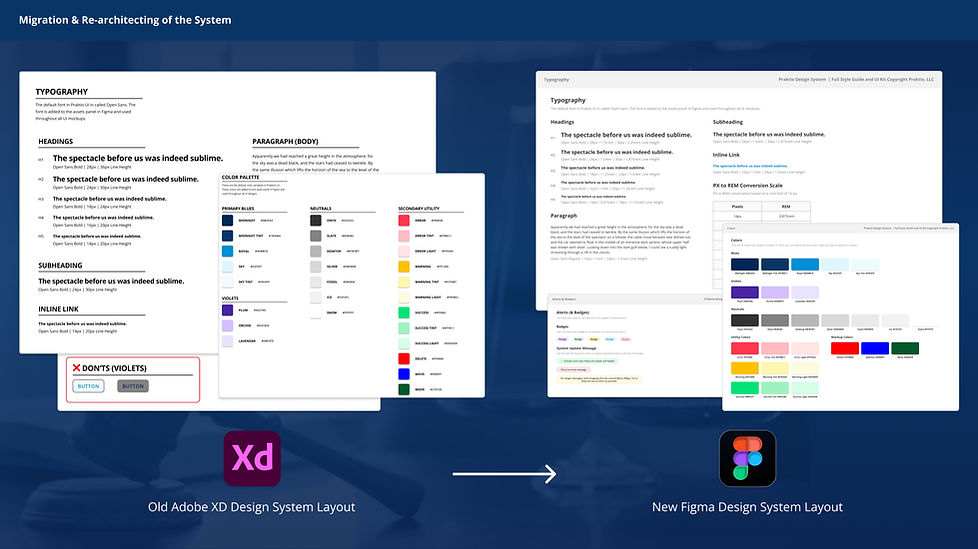
migration & re-architecting of the system
Migrated the design system from Adobe XD to Figma to enable real time collaboration and improved version control. Created a design checklist within the system to guide the implementation of new pages and restructured page layouts to support easier navigation and long term system maintenance.
standardization of components
Rebuilt components standardizing them with consistent styling, sizing, padding, and margins. Defined clear interaction states and usage guidelines helping reduce ambiguity during developer handoff.

implementation of scalable typography
Added REM values and a PX to REM conversion table on the typography page to support the developer team’s transition, improving responsiveness, accessibility, and consistent scaling across the platform.

final design & insights
final design
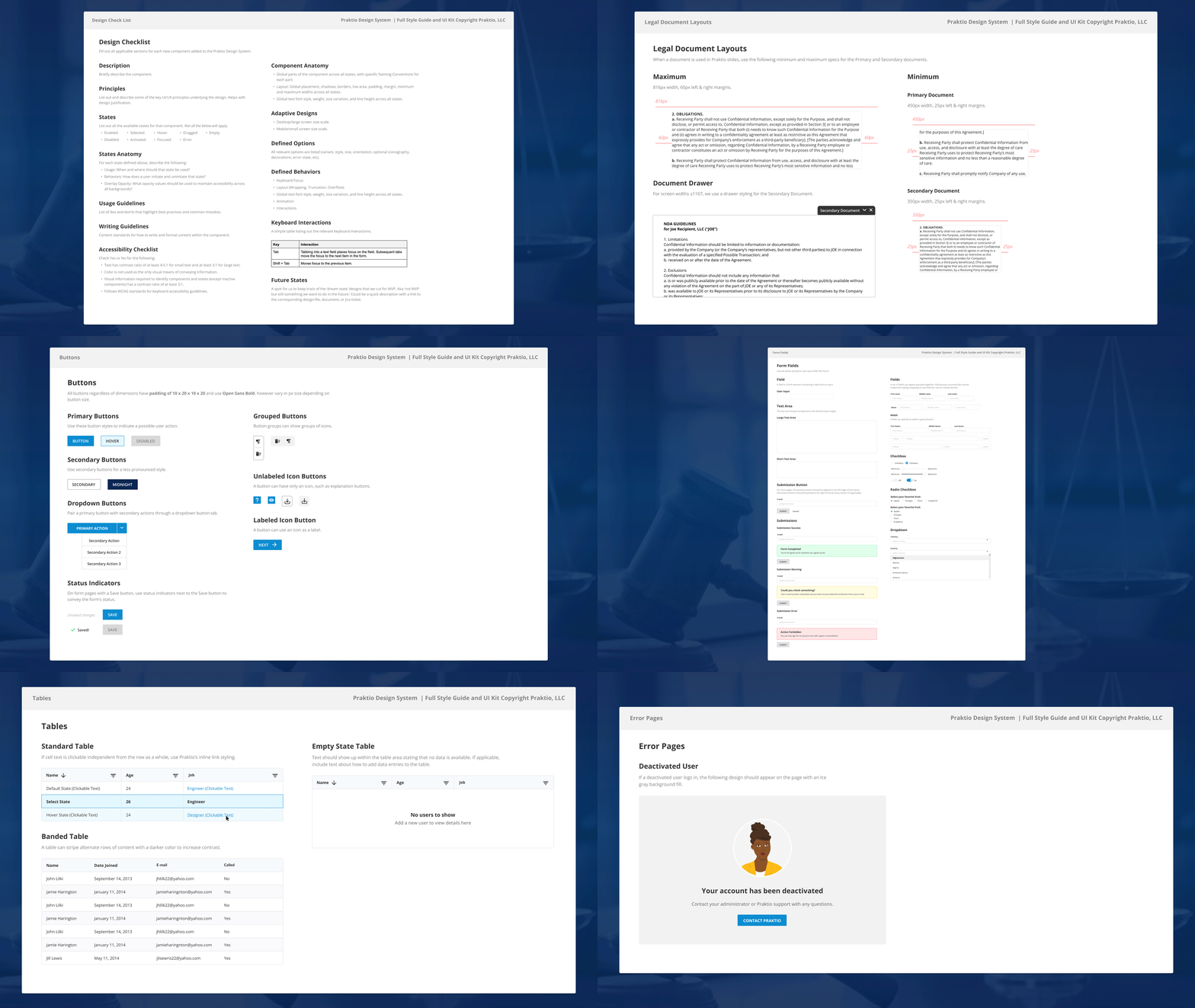
Version 1.6 of the design system includes 16 pages organized by foundations, atoms, molecules, and organisms. This structure allows the Praktio team to navigate the system based on the level of complexity of each element and quickly locate the components they need.
the future of the system
As my internship at Praktio concluded, I began developing do’s and don’ts usage examples for each component page and assisted in expanding additional documentation, including character text box specifications and further development of the menu page to showcase different navigation bar options. These updates are planned for inclusion in version 1.7 of the design system.
final design insights
A few weeks after my internship ended, I checked in with the Praktio design and development teams and learned the design system had been a success. Standardized components reduced back and forth during handoffs, making collaboration more efficient and requiring less explanation when discussing interface elements.
Migrating the system to Figma enabled both the design and development teams to work within the system simultaneously, ensuring that anyone using it always had access to the most up to date version. The development team also noted that the addition of a PX to REM conversion table made it easier to begin converting typography across the platform.